
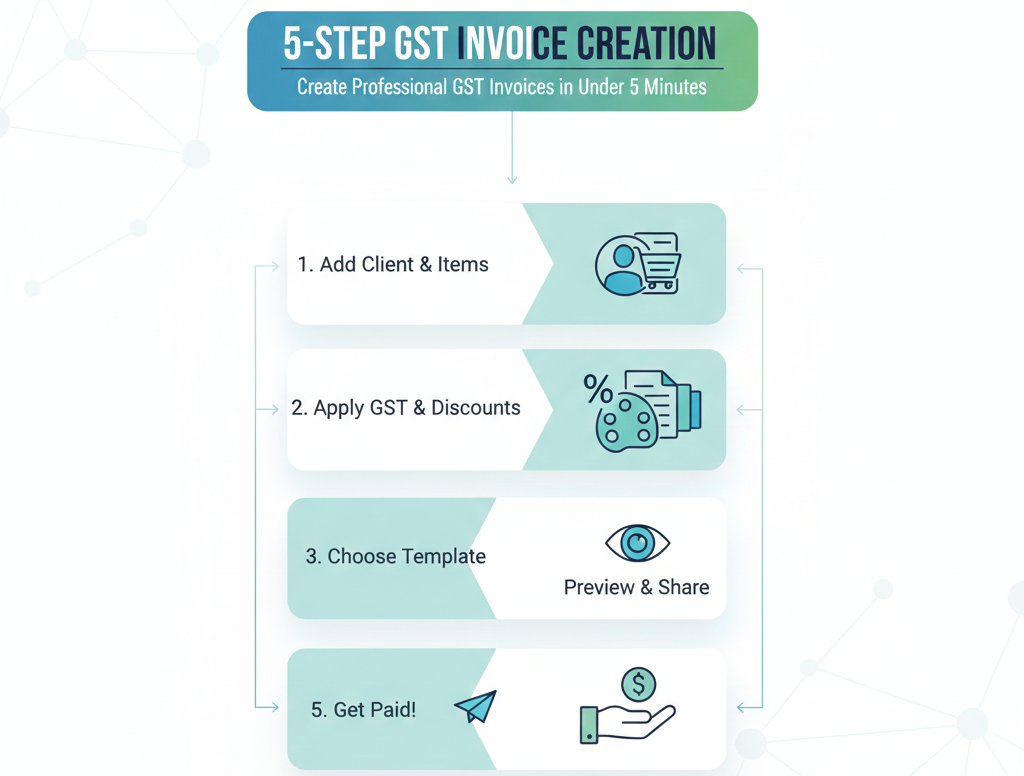
Managing invoices can feel overwhelming, especially when you’re running a small business or freelancing. But here’s the good news: creating a GST-compliant invoice online has never been easier. With the right free online invoice generator you can generate professional bills in minutes without any accounting headaches.
Whether you’re a freelancer sending your first invoice or a business owner looking to streamline your billing process this guide will walk you through everything you need to know about creating GST invoices online in India.
What is a GST Invoice?
A GST invoice is a legal document that records the sale of goods or services between a buyer and seller. It includes crucial details like the product description, quantity, pricing and most importantly the GST amount charged.
Think of it as your business’s financial receipt that serves multiple purposes. It helps buyers claim input tax credits, keeps your business compliant with tax regulations, and maintains a clear record of all transactions.
For any GST-registered business in India, issuing proper invoices isn’t optional it’s mandatory under the CGST Act, 2017.
Why Use an Online Bill Generator?
Gone are the days of manually calculating taxes on Excel sheets or worrying about invoice formatting. A free online invoice generator offers several compelling advantages:
Time-Saving: Create professional invoices in under 5 minutes instead of spending hours on manual formatting.
Error-Free Calculations: Automatic tax calculations eliminate human errors that could damage client relationships or cause compliance issues.
Always Accessible: Generate invoices from anywhere your laptop, tablet, or even your phone while meeting a client.
Cost-Effective: Most online bill generators are completely free, saving you money on accounting software.
GST Compliance: Pre-designed templates ensure your invoices include all mandatory fields required by Indian tax laws.
Professional Look: Polished, branded invoices help establish credibility with clients and customers.
Mandatory Components of a GST Invoice
Before we dive into the step-by-step process, let’s understand what makes a GST invoice legally valid. Your invoice must include these essential elements:
Business Information: Your company name, complete address and 15-digit GSTIN number. This identifies you as the registered seller.
Customer Details: Buyer’s name, address and GSTIN (for B2B transactions). For B2C sales, customer GSTIN may not be required.
Invoice Particulars: A unique invoice number (maximum 16 characters) that follows a sequential pattern, invoice date and place of supply.
Item Description: Clear description of goods or services sold, along with HSN/SAC codes based on your turnover.
Pricing Details: Quantity, unit price and total value before tax for each item or service.
Tax Breakdown: Separate display of CGST and SGST for intrastate transactions or IGST for interstate sales. Tax rates must be clearly mentioned.
Total Amount: Final payable amount including all taxes, discounts and additional charges.
Payment Terms: Due date, accepted payment methods and any late payment fees (optional but recommended).
Missing even one of these components could make your invoice invalid for ITC claims and potentially invite penalties during GST audits.
Step-by-Step Guide to Creating GST Invoice Online
Now let’s get practical. Here’s how you can create a fully compliant GST invoice using a free online invoice generator:
Step 1: Choose Your Online Invoice Generator
Select a reliable free online invoice generator that supports GST compliance. Look for tools that offer Indian tax templates, automatic calculations, and the ability to download PDFs. Many platforms require no sign-up for basic invoice generation, making the process even faster.
Step 2: Enter Your Business Details
Start by filling in your company information at the top of the invoice. Enter your business name exactly as registered under GST, your complete business address, and your 15-digit GSTIN number. If you have a business logo, upload it to make your invoice look more professional and branded.
Step 3: Add Customer Information
In the “Bill To” section, enter your client’s details. Include their name or business name, complete address, and GSTIN if they’re registered under GST. For invoices above Rs. 50,000 to unregistered buyers, ensure you capture their complete details including delivery location.
Step 4: Fill in Invoice Details
Most online bill generators automatically assign an invoice number, but you can customize it to match your numbering system. Just ensure each invoice has a unique number that follows sequentially. Set the invoice date (typically today’s date) and specify the due date based on your payment terms—commonly 15, 30, or 45 days from the invoice date.
Step 5: Add Products or Services
This is where you describe what you’re billing for. Create line items for each product or service, including a clear description, HSN code (for goods) or SAC code (for services), quantity, and unit price. The online invoice generator will automatically calculate the line total for each item.
Step 6: Configure GST Settings
Select the appropriate tax type based on the transaction. For sales within the same state, the tool will split the tax into CGST and SGST. For interstate sales, it will apply IGST. Most online bill generators detect this automatically based on the billing and shipping addresses, but always verify the calculation is correct.
Step 7: Add Additional Charges or Discounts
If applicable, add any shipping fees, packaging charges, or discounts. The invoice generator will recalculate the final total automatically, ensuring accuracy.
Step 8: Review and Verify
Before generating the final document, carefully review all details. Check that customer information is accurate, tax calculations are correct, and all mandatory fields are filled. One common mistake is forgetting to update the invoice number for repeat clients.
Step 9: Download Your Invoice
Once everything looks good, download your invoice as a PDF. This format is universally accepted, maintains formatting across devices, and can’t be easily altered. Save a copy for your records before sending it to the client.
Step 10: Send to Your Client
Share the invoice with your customer via email, WhatsApp, or any platform they prefer. For faster payments, include your bank details or a payment link directly in the invoice.
Types of GST Invoices You Should Know
Different business scenarios require different invoice types. Here’s what you need to know:
Tax Invoice: The standard invoice type issued when selling taxable goods or services. This is what most businesses use for regular B2B and B2C transactions.
Bill of Supply: Used when you can’t charge GST—either because you’re under the Composition Scheme or selling GST-exempt products. This looks similar to a tax invoice but doesn’t include tax details.
Aggregate Invoice: For businesses making multiple small sales (each under Rs. 200) to unregistered customers in a day, you can issue one combined invoice covering all transactions.
Export Invoice: Special format required for international sales, including additional declarations about zero-rated supplies and export documentation.
Common Mistakes to Avoid
Even with the best online bill generator, watch out for these pitfalls:
Inconsistent Invoice Numbering: Never skip numbers or use the same number twice. Maintain a sequential system and restart numbering each financial year.
Wrong HSN/SAC Codes: Using incorrect codes can create compliance issues. Verify codes from official GST portal resources before adding them to your invoices.
Missing GSTIN: Always include both your GSTIN and your client’s GSTIN (for registered buyers). This is crucial for ITC claims.
Incorrect Tax Application: Double-check whether you should apply CGST+SGST or IGST based on the place of supply. This depends on whether the transaction is intrastate or interstate.
Late Invoicing: Issue invoices within the prescribed time limits—before or during dispatch for goods, and within 30 days for services (45 days for banks and financial institutions).
Incomplete Customer Details: For high-value invoices to unregistered buyers (above Rs. 50,000), capture complete customer information including delivery address.
E-Invoicing: What You Need to Know
If your business turnover exceeds Rs. 5 crore annually, you’re required to generate e-invoices through the Invoice Registration Portal (IRP). This system provides additional authentication and generates a unique Invoice Reference Number (IRN) along with a QR code.
The good news? Many modern online bill generators integrate seamlessly with the IRP, automating this compliance requirement. The system validates your invoice details and auto-populates your GST returns, significantly reducing manual work.
A crucial recent update: businesses with turnover above Rs. 10 crore must upload invoices to the IRP within 30 days of the invoice date. Missing this deadline means the portal will reject your invoice, making it invalid for GST purposes.
Benefits of Using a Free Online Invoice Generator for Your Business
Beyond basic invoice creation, the right tool transforms how you manage your finances:
Organized Record-Keeping: Cloud-based storage means all your invoices are accessible from anywhere, anytime. No more digging through file cabinets or folders.
Payment Tracking: Many generators help you track which invoices are paid, pending, or overdue, making follow-ups easier.
Client Management: Save customer details for faster invoice creation next time. Generate recurring invoices with a single click.
Business Insights: Get a clear view of your earnings, outstanding payments, and top customers—all in one dashboard.
Tax Filing Made Easy: Having all invoices in one place makes GST return filing significantly simpler during quarterly and annual filing periods.
Professional Image: Consistent, well-designed invoices signal that you run a serious, organized business—something clients notice and appreciate.
Choosing the Right Online Invoice Generator
With dozens of options available, how do you pick the right one? Look for these features:
- GST Compliance: Ensures all mandatory fields are included and calculations follow Indian tax rules
- No Hidden Costs: Truly free for basic invoicing without forcing upgrades
- Easy Customization: Ability to add your logo, adjust colors, and match your brand identity
- Mobile Friendly: Works smoothly on phones and tablets for invoicing on the go
- Multiple Format Support: Download as PDF, and ideally also as Excel or Word for further customization
- Security: Your financial data should be encrypted and never shared with third parties
- Template Variety: Different designs for different business types and industries
Popular options in India include tools from Vyapar, Zoho Invoice, Refrens, GrowInvoice, and others. Many offer both free web-based generators and more feature-rich paid software for businesses with complex needs.
Final Thoughts
Creating GST-compliant invoices doesn’t have to be complicated or time-consuming. With a reliable free online invoice generator, you can produce professional bills in minutes while ensuring full compliance with Indian tax regulations.
The key is understanding what makes an invoice valid, choosing the right tool, and following a consistent process. Whether you’re invoicing your first client or your thousandth, the steps remain the same—enter details accurately, verify calculations, and maintain proper records.
Remember, your invoice is often the last touchpoint in a business transaction. Make it count by ensuring it’s clear, professional, and compliant. Not only does this help you get paid faster, but it also builds trust and credibility with your clients.
Ready to streamline your invoicing process? Try a free online invoice generator today and experience how easy GST-compliant billing can be.
Best Free Online Invoice Generator for Small Businesses in India (2026)